
We have rebuilt the Campaign experience in Affinect.
The goal was simple: make it much easier to understand why a Campaign runs, who should receive it, what gets sent, and when it should go out, without losing the flexibility needed for more advanced customer journeys.
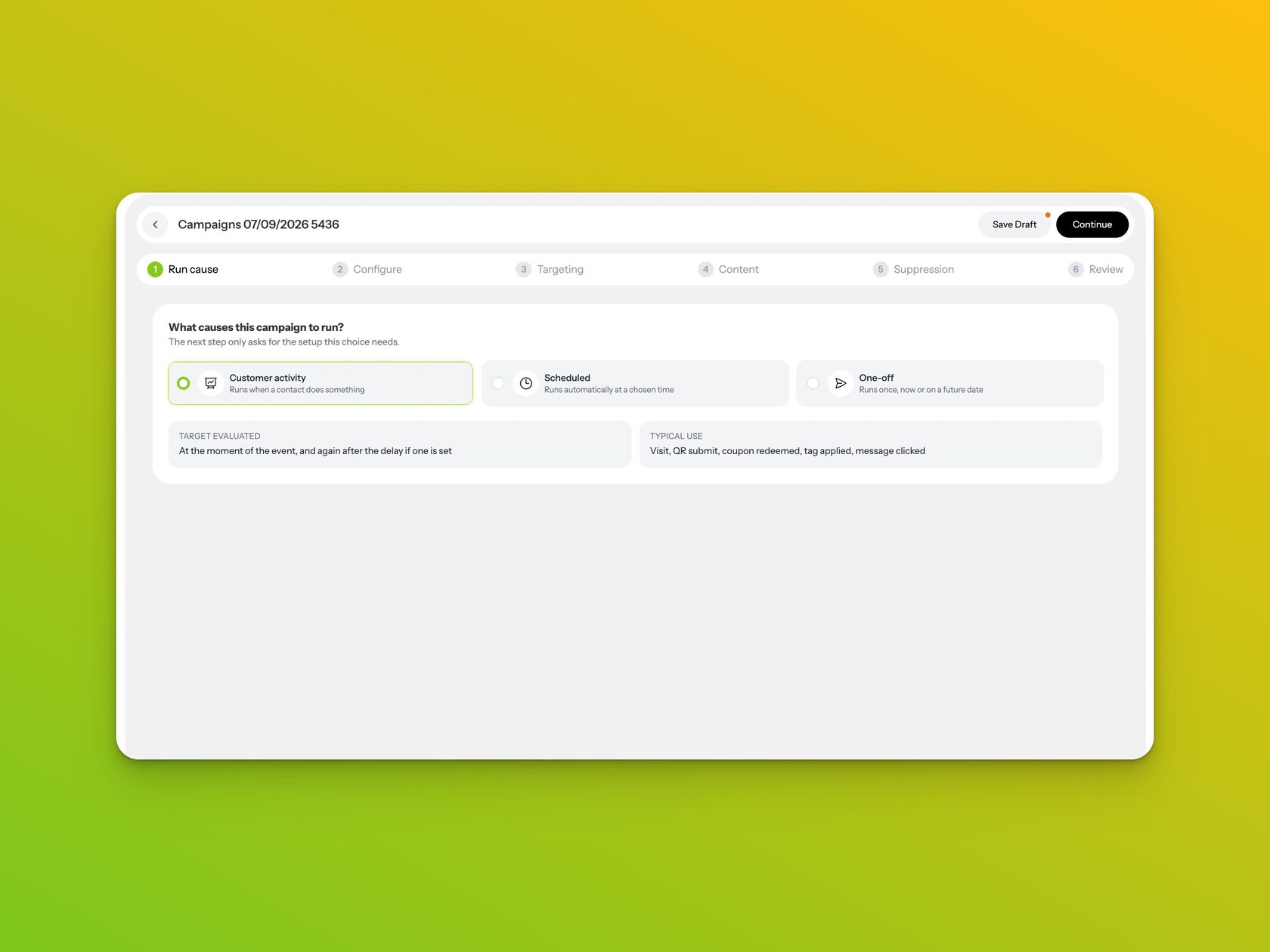
What causes this Campaign to run?
Campaign 2.0 introduces a completely reworked setup flow, starting with one straightforward question:
What causes this Campaign to run?
You can now build Campaigns around:
- Customer activity, such as a visit, QR submission, loyalty or coupon activity, tag changes and supported message interactions.
- Scheduled activity, for recurring Campaigns that should evaluate contacts daily, weekly or monthly.
- One-off sends, either immediately or at a scheduled date and time.
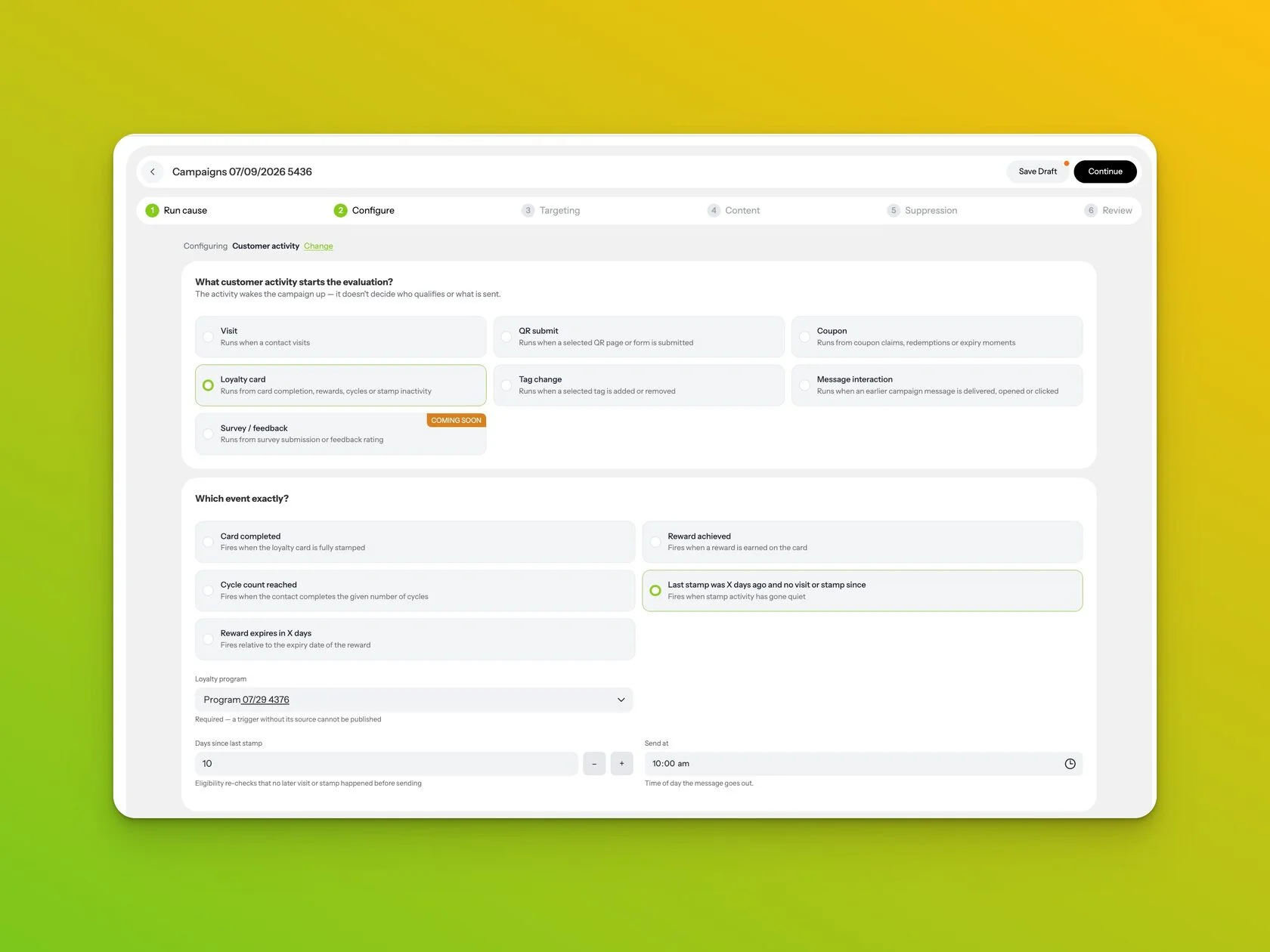
When Customer activity is selected, you can go deeper and define the exact event — for example loyalty inactivity, a visit, a QR submission, or a coupon redemption — including timing and program rules.
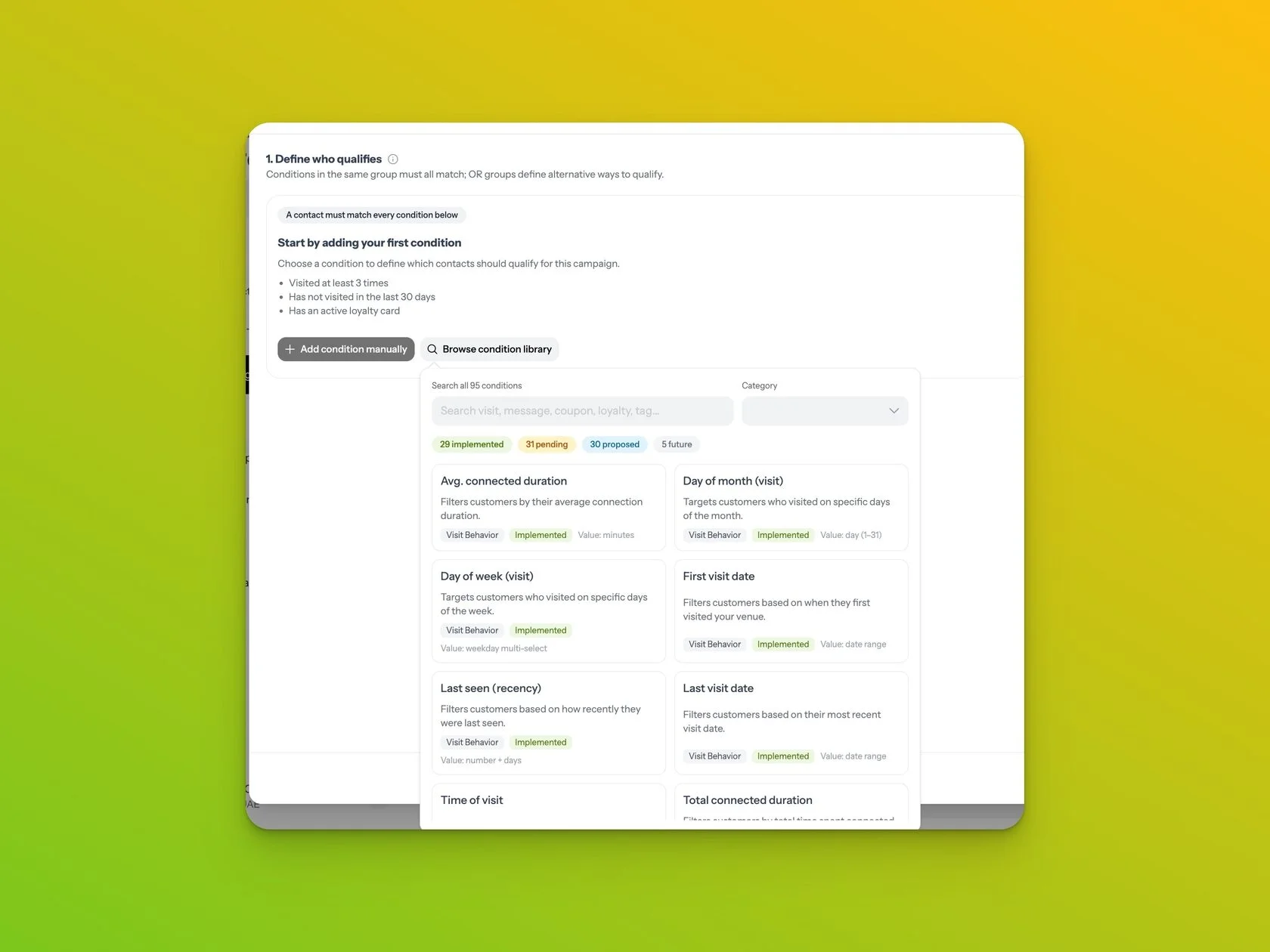
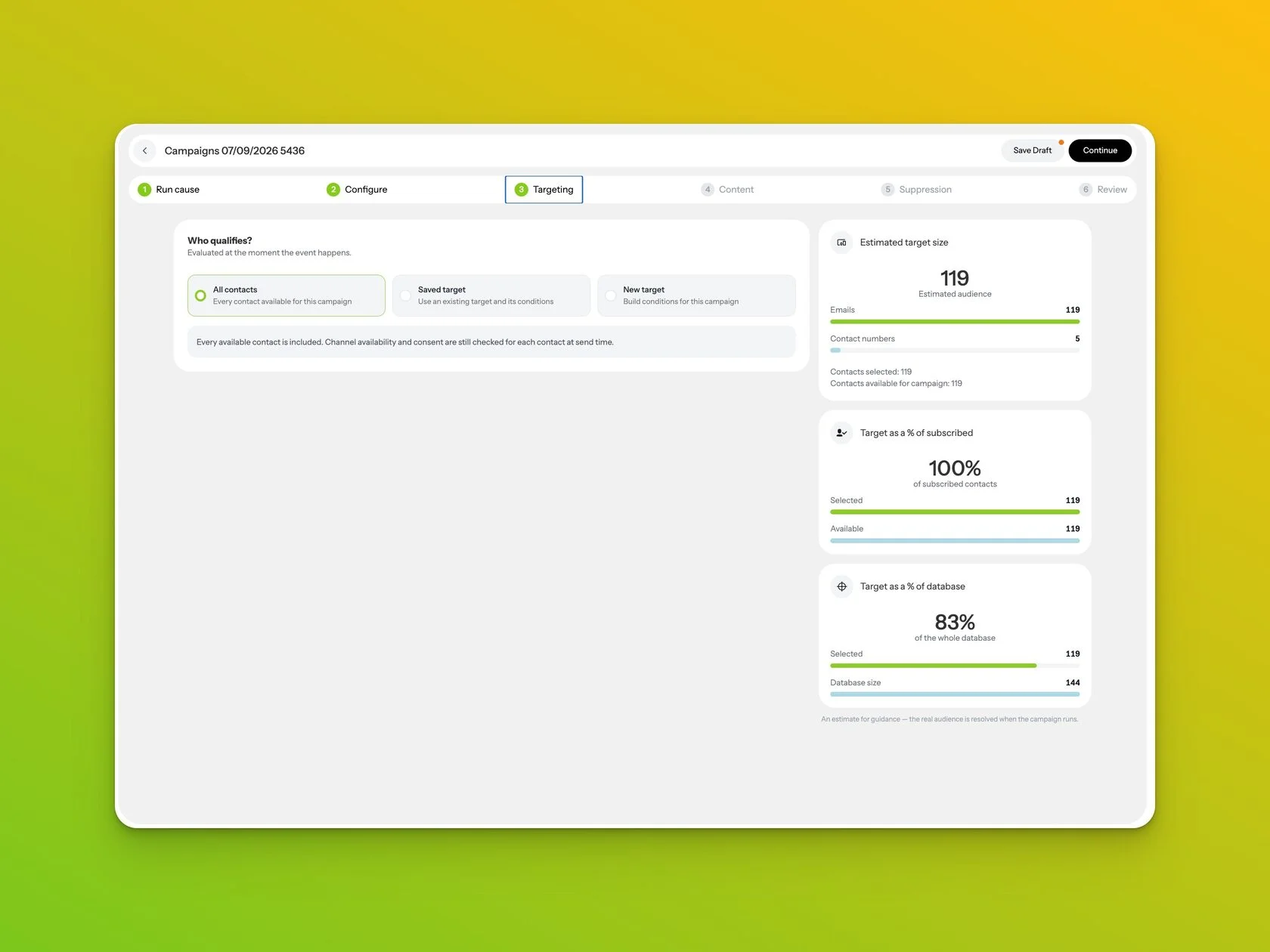
Targeting has also had a major upgrade
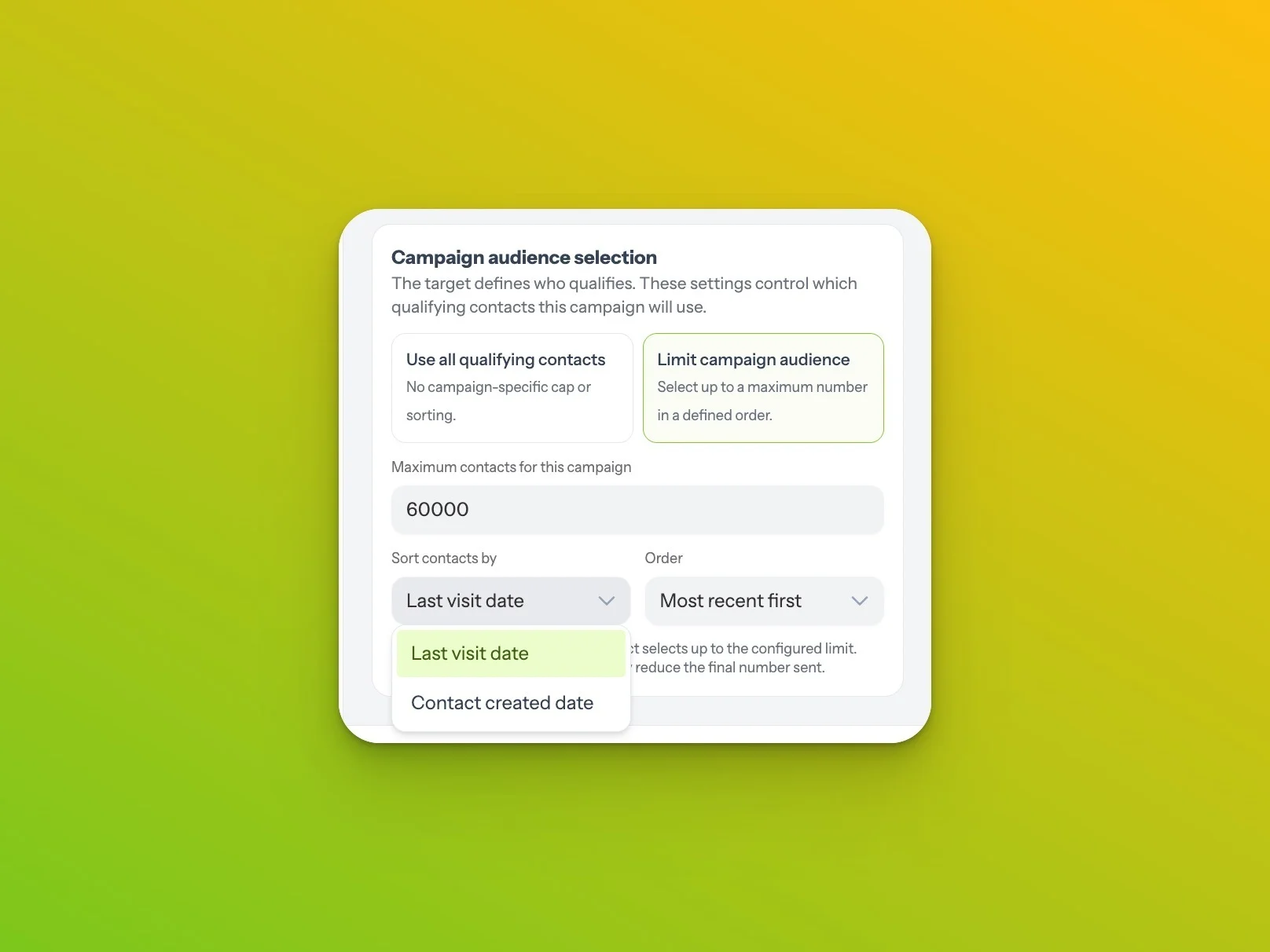
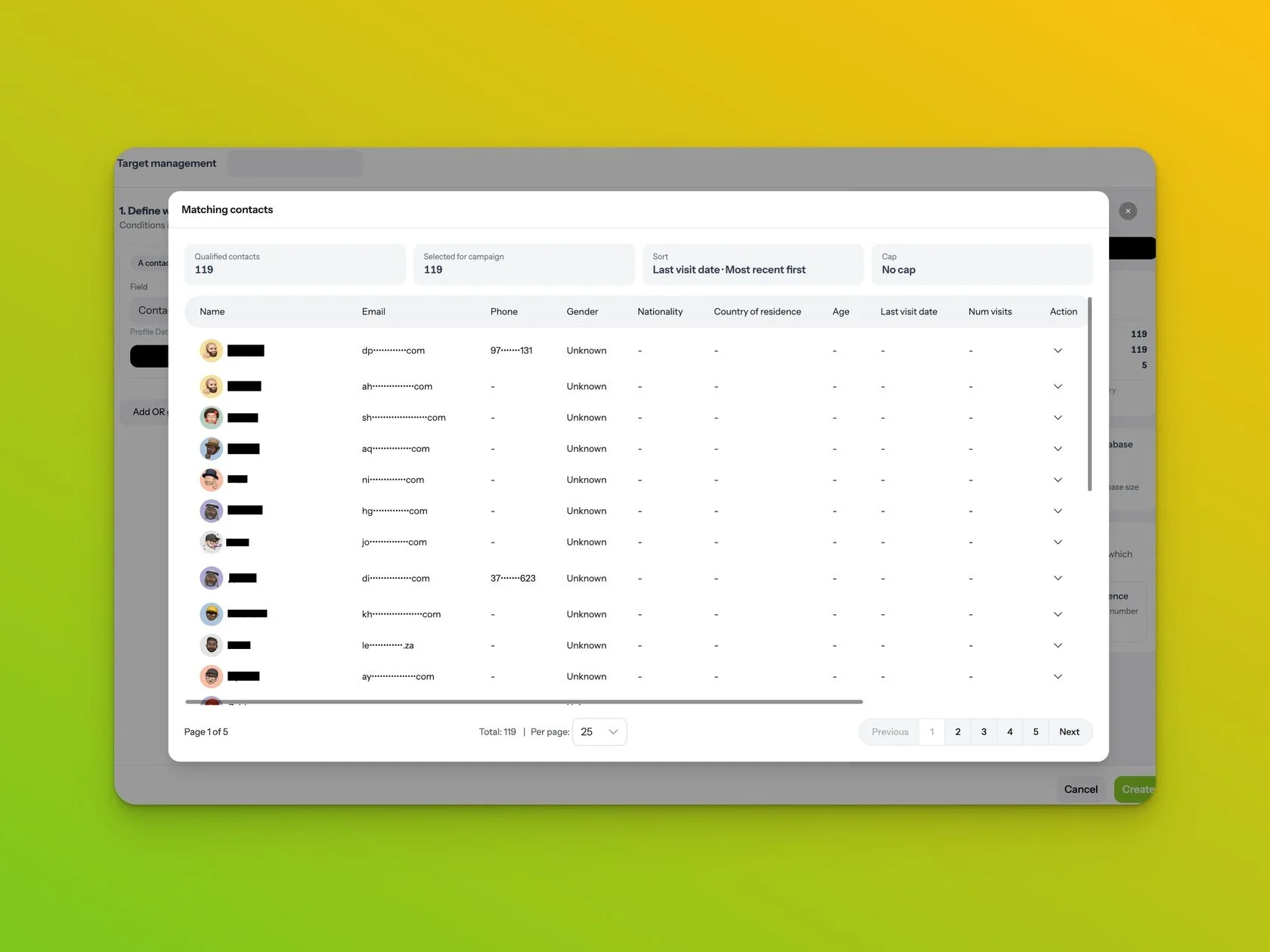
You can build and save audiences using a much broader condition library, combine conditions using AND and OR logic, see an estimated audience as you build, preview the matching contacts, and optionally limit a Campaign to a specific number of qualifying contacts using sorting such as last visit date or contact creation date.
Content is now managed in one place
Select your Email, WhatsApp or SMS content, attach an existing published Coupon or Loyalty Program where needed, and configure your delivery options without rebuilding Program rules inside the Campaign.
Clearer suppression controls and a better Review step
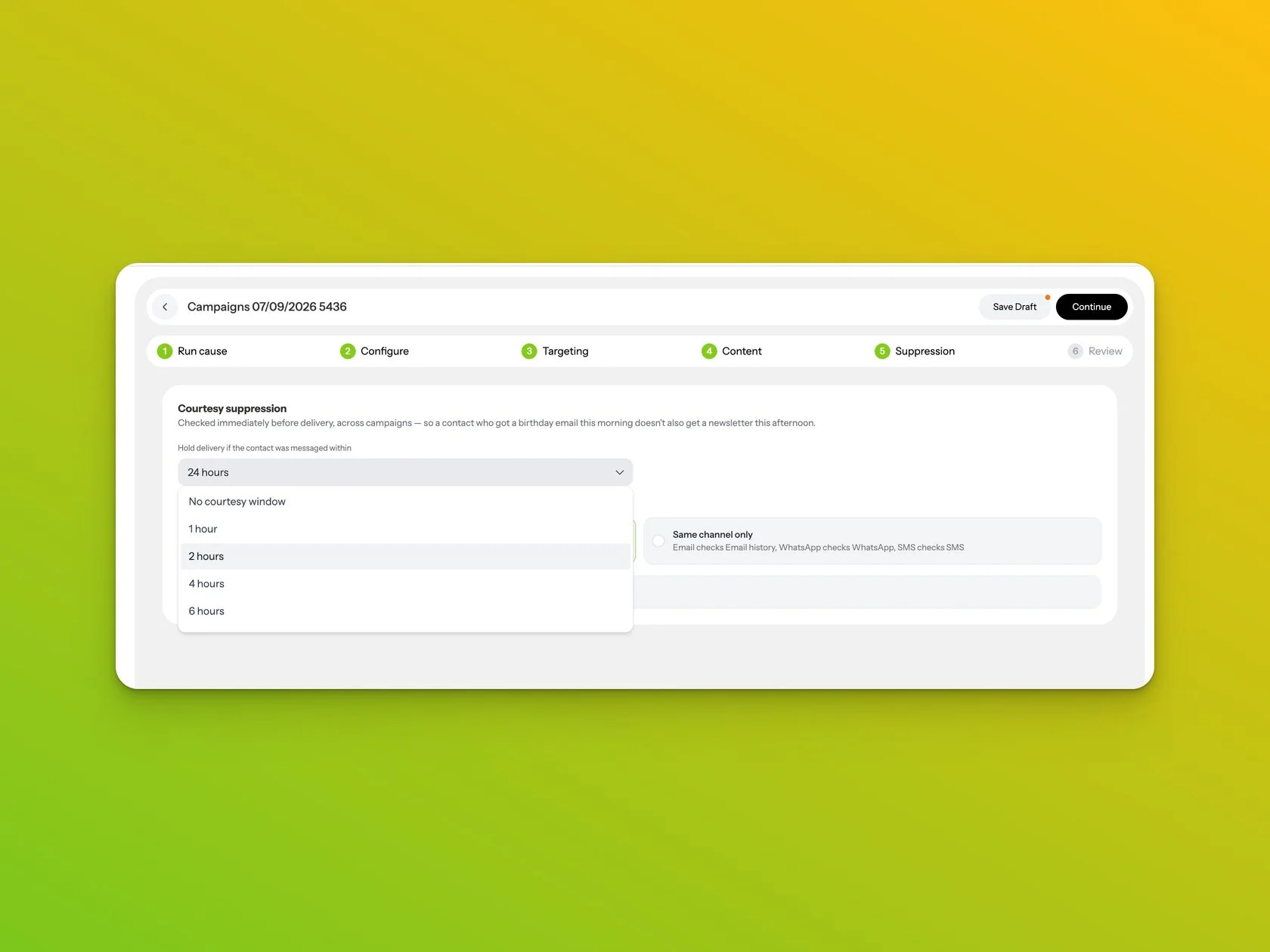
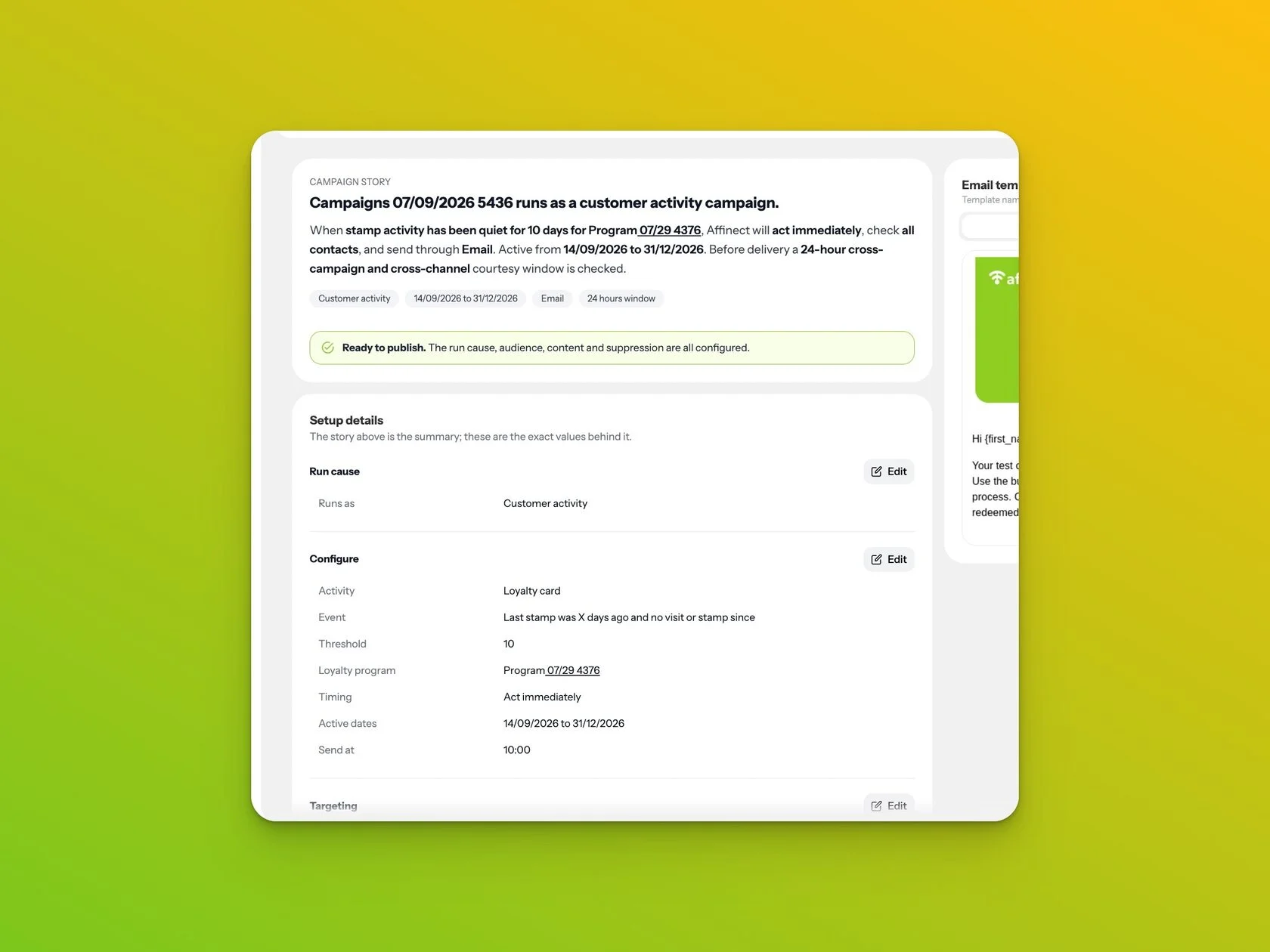
Campaign 2.0 also introduces clearer suppression controls to help avoid over-messaging contacts across Campaigns, plus a much more useful Review step. Before publishing, you can see the complete Campaign logic in plain language, review the selected audience, content and Program, preview messages, and go back to edit anything that needs correcting.
The result is a Campaign Builder that is easier to use for a simple newsletter, but much more capable when you need automated customer journeys.
Campaign 2.0 is available in Affinect now.
Build clearer, stronger Campaigns with Affinect Campaign 2.0.
Explore the Affinect platform